I love Roon. It’s overpriced, but wonderfully so. In recent years it’s gone from strength to strength, stability issues are near zero now, it’s lightning fast compared to it’s early years. No real complaints.
But there are a couple of small snags.
- Roon’s macOS volume control
- Syncing local files for offline iOS playback
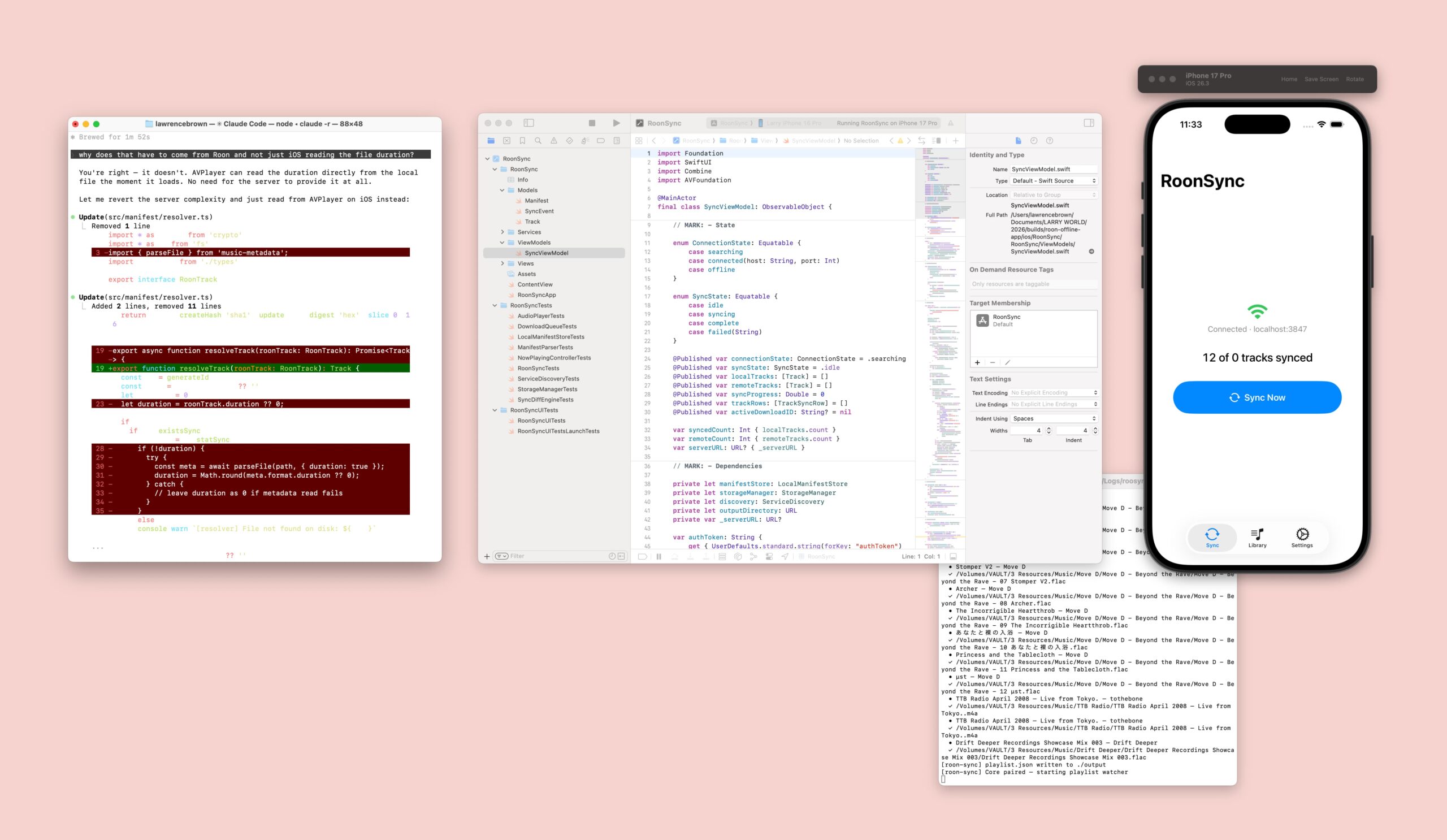
▲ Vibing RoonSync with Claude Code, Xcode and Typescript server.
Roon macOS Volume App
Roon is engineered to “bypass the macOS audio engine (CoreAudio) to achieve bit-perfect audio playback”. Fancy eh. But the snag is you don’t get any native volume keyboard keys or macOS menubar volume ui, so when you quickly need to adjust volume you have to scramble for bringing the app back in focus and use a slider with a mouse. Kinda rubbish.
So, I now have this wee Roon menu bar app. ▼

—
It sits up there with 5% up/down, mute and play/pause buttons, ready for fastidious audio control. So far, so good, it’s been behaving and working a treat. I’m not overly interested in it becoming a micro media player. And, fortunately Roon is picked up by the macOS native player viewer (the play in a circle, seen fourth on the right). So if I do want to see an album cover, which I don’t, I can. Keyboard track skip if picked up by Roon so no need there.
Technology Used
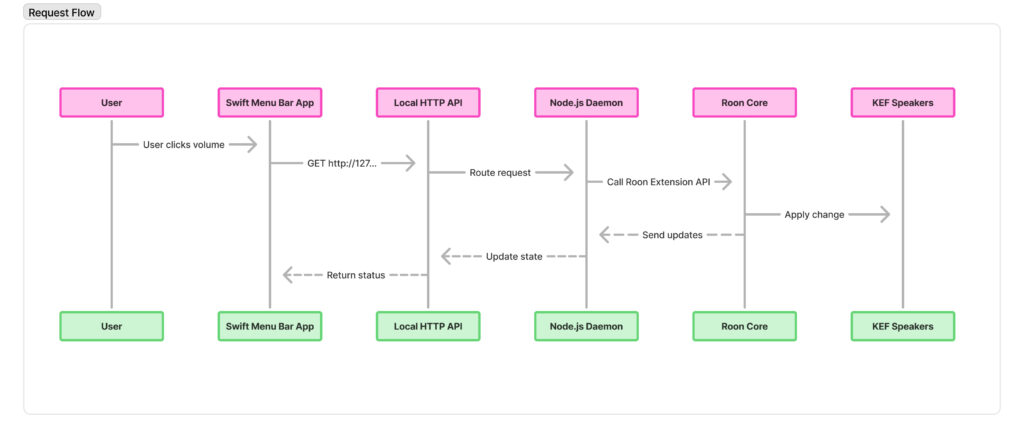
- Swift menu bar app → UI controls + state display
- Localhost HTTP API → command transport layer
- Node.js daemon → Roon integration (API + state sync)
Software for One
It’s quite fun noodling around and learning a bit more about what is possible and how technology can be recruited on your devices. It’s easy to forget this. We’re waging a content war online between doomers, AI pilled bros, optimisers, peeved Engineers and workflow lads.
You can just try stuff out on your coffee break and see where you get to. In turn, you start to dig a little deeper, all be it a shallow view of deep, and you’re starting to learn small nuggets of how things work. And that is exactly how our brains work, they start to build a map, part by part. In my two decades of working with technology and design, that’s all its ever been, picking up small nuggets of information day by day.
This “app” doesn’t need to serve anyone but me, yeah it could. But for now, its really fun to experiment with agents to see whats possible, how it works, if it works.
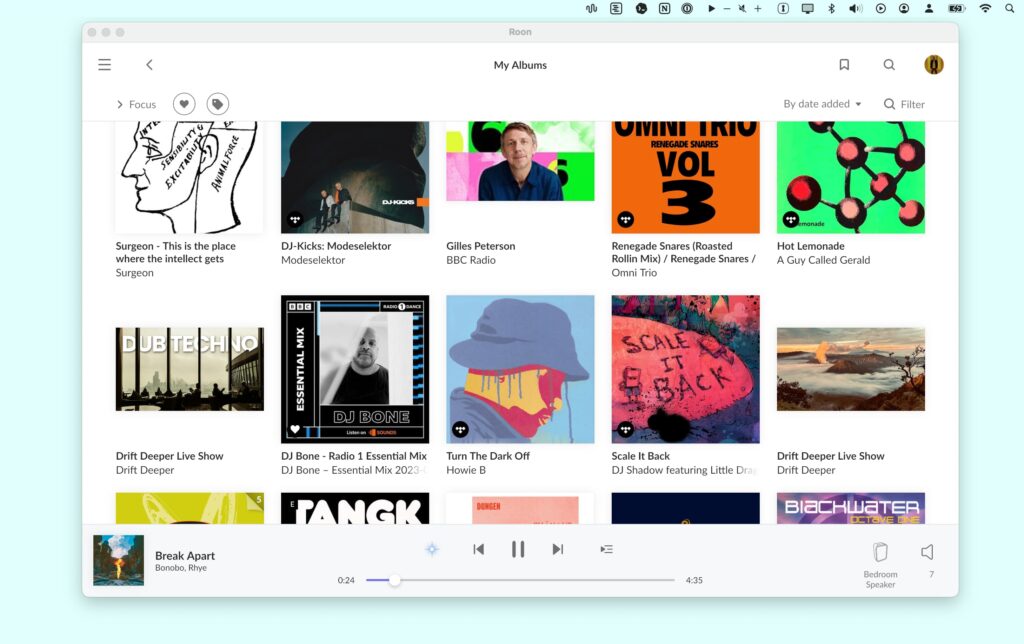
▲ Roon.app shown with RoonVolume in menubar above it.
RoonSync iOS App
When I started to draft this post it felt a little flat, a 20 second prompt that led to a few minutes of agent compute to make a volume button. Ugh. A bit… whatever.
That’s when I remembered my biggest gripe with my Roon set-up, syncing music I own to my iPhone. Now, Roon did solve this problem by launching ARC, a dedicated iOS app for connecting to your core from the WAN not just the LAN. I’ve never been able to get it to work as it would mean replacing my router and buying a dedicated IP address. I’d tinkered with the settings, Tailscale, port controls, swapping out the router and it was a networking mess. Nearly everything we owned in the house that asked for an internet connection had a meltdown with the new set-up. All for the sake of streaming very LARGE .FLACS while I’m on the bus.
So I was keen to see if I could sketch out a basic model that would sync up one playlist in Roon macOS with an iOS app. With a bit of back and forth with Claude on data structure chats and the Roon API and I had myself a few markdown files to get started
- CLAUDE.md
- FEATURES.md
- README.md
- ROADMAP.md
- TASKS.md
- TESTS.md
- UX.md
As I write this up, I realise that I have a litter of bookmarks stashed to “read later” on markdown optimisation, folder of markdown optimisation, skill optimisations, plugin optimisations… it’s getting a bit much, isn’t it?
Anyhow, experimentation and doing over tooling and optimisation right now.
The Problem:
- I have a bunch of local music files sat on a hard drive, connected to a Mac Mini that I play using Roon, which creates a LAN server and allows their client to play to audio devices around the home
- I have a network that is a pain to expose to the WAN without spending £££ and reconfiguring lots of devices
- I have an offline music app, Doppler, which is fantastic, but I forget to sync new music I’ve bought to it, so I end up sat on old music for a while
My Needs:
- I want to add music to playlist in Roon on any computer and have a script/service check for this and then offer up the local files for transfer over the LAN to my phone
- I want a minimal app on my phone that can accept this transfer, store the files and organise them for playback, true FLAC lossless, offline with no garbage (suggested, new releases, your daily mix, whatever mate)
- I want to listen to albums or mixes, not playlists of random stuff
- Stretch need: I want to read what music critics and journalists have written about this album. I’d like to buy more music from this artist.
The First Pass
Within a couple of Claude Code sessions we had the server up and running to offer up the files to the iOS app and the iOS app downloading them, storing them and playing them.
A really solid first working concept that it is possible and is very easy to just have running on the machine and open up your app to grab new music (or remove stuff you’re done with)
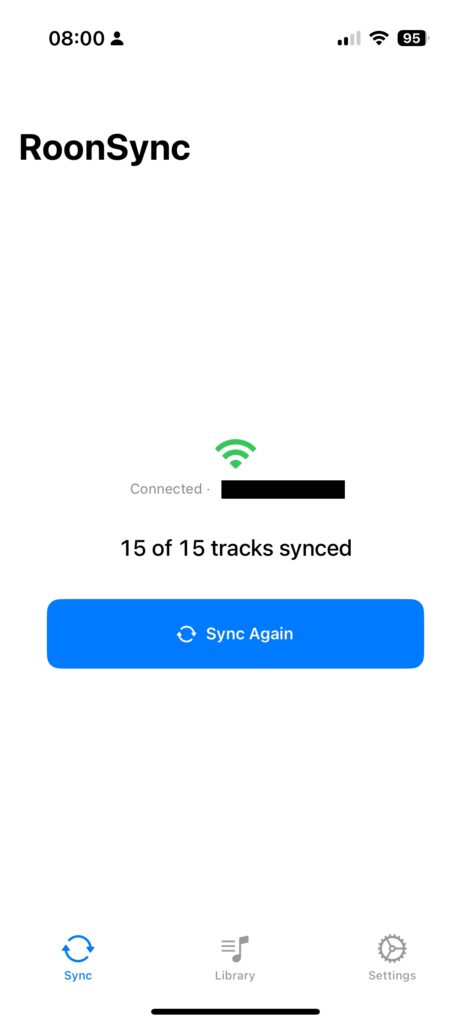
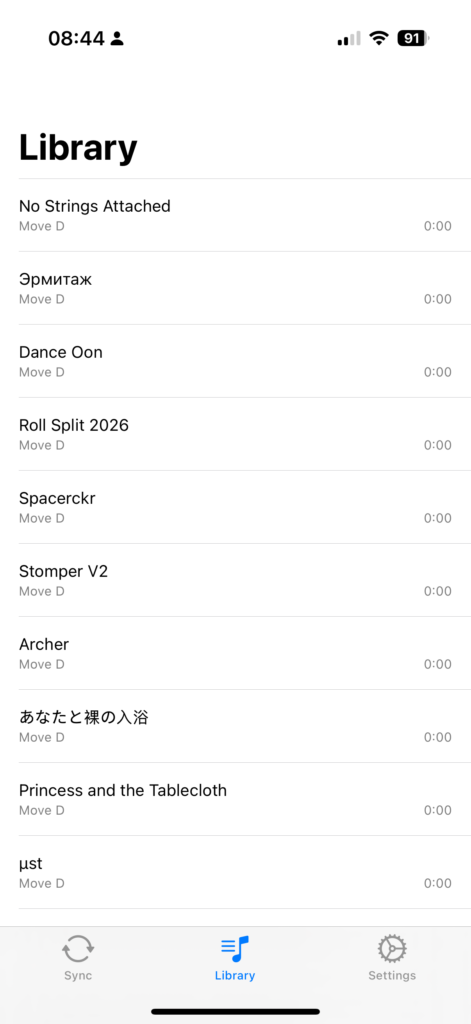
▲ RoonSync very early working concept, sync files, listen to files.
The Adjustments Phase
I moved over to Codex to strengthen up some of the build, there was a noticeable design error in the management of the data when using the app, long load times, stalling events, meta data slow to show.
Codex really came into its own here to review and improve the codebase whilst feeding me snippets of information that have started to build a picture of the architecture of apps in Swift and how to better manage data. It’s very much baby steps in my engineering understanding, but something is better than nothing.
I put down a few key product concepts I wanted to see:
- Album view first, tap album to play
- Mini player always in view
- Tap mini player to see album tracks
- Hide away sync and settings
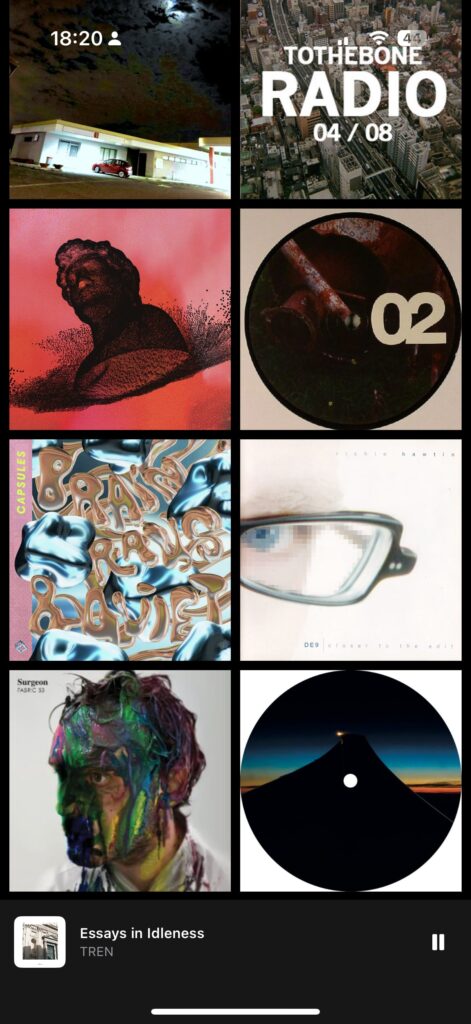
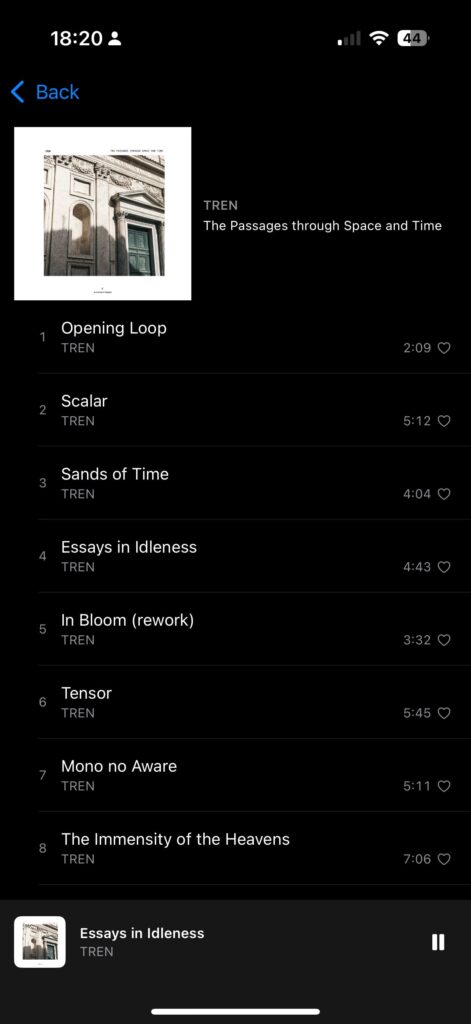
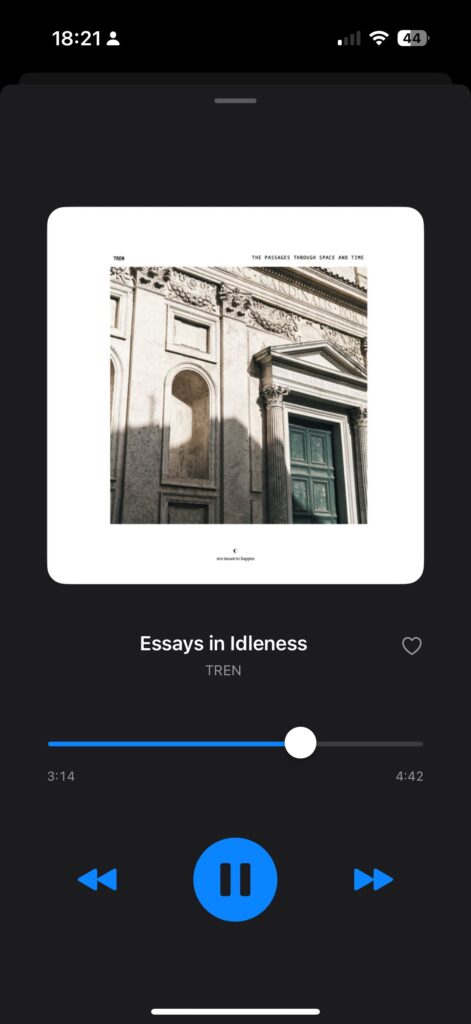
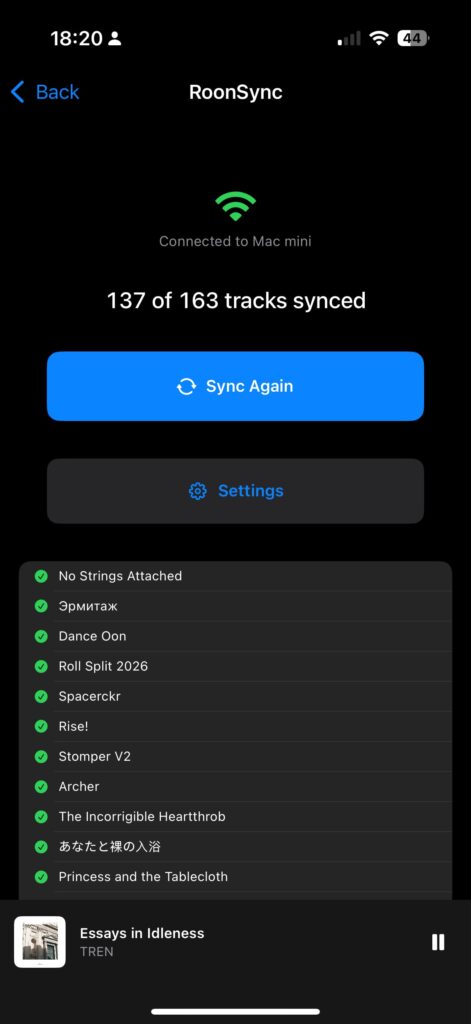
▲ RoonSync in the adjustment phase, next the design phase
I’m going to live with RoonSync on my phone for a few days, let some of the ideas ruminate and doodle in Figma, build out a few pattens. I really want to add in some reading with the albums next, likely through a Chrome extension that scrape and add to the manifest.
Theres also a laundry list of hygiene features, packaging up the Node server to be a menubar app so it can sit nicely in on the Mac Mini.